How to Tell If Text Is AI-Written: Signs, Checks & Limitations
TABLE OF CONTENTS
Quick Summary
Key Highlights
How Can You Tell If Text Was Written by AI in 2026?
What Are the Signs of AI-Written Content?
What Words and Phrases Indicate AI Writing
How to Detect AI-Generated Text Without a Tool
How to Tell If an Essay Was Written by AI
How to Tell If Someone Used ChatGPT to Write
How to Check If an Article Is AI Generated With a Detector
AI Detection Tools Compared
How Accurate Are AI Text Detectors?
Can AI Detectors Mistake Human Writing for AI?
Can AI Generated Text Be Detected Reliably?
How to Distinguish AI Writing from Human Writing
Conclusion
FAQs
Get an AI summary of this post on:

You read a paragraph and think, “Something is off.” The spelling and grammar look fine, and the voice sounds polished. Still, it does not feel like something a person would naturally write. A lot of people ask this, especially now.
I tried this by comparing many samples. I used different detectors, and I also checked the output myself. The short version is this: you need more than one method. This piece explains what to watch for, what the tools can miss, and how not to accuse a real author by accident. If you want a deeper walkthrough, our guide on how to check if writing is AI generated covers the full process.
Here is the quick plan. Check for repeated patterns and safe, broad phrasing. Next, see if the text includes details you can verify, like named facts or clear specifics about the situation. Then, if you can, use an AI detector as a second look. One clue alone is not enough, so use all three before you make a call.
Quick Summary
AI writing can look neat, but it may feel hollow. It often uses the same sentence shapes, picks phrases that sound “fine,” and does not bring in real-life details.
You can catch these signs when you read carefully. Detection apps can also give you extra hints. Still, those tools get things wrong, mainly in official writing or when the writer is not a native speaker. So take any result as a hint, not a final ruling.
Key Highlights
- Read for rhythm, specifics, and voice before you touch any tool.
- Look for AI writing patterns such as even sentence length, stock transitions, and tidy recap endings.
- Treat AI detector accuracy as a range, not a promise. No detector is 100% accurate.
- AI detection false positives happen more often with formal writing and non native English writers.
- Combine a manual review, a detector score, and the draft history before making any decision.
Get Lifetime Access with 60% OFF
Stop paying monthly subscriptions. Enjoy unlimited AI detection and humanizer access forever with future updates included.
- One-time payment
- Unlimited access forever
- All future updates included
How Can You Tell If Text Was Written by AI in 2026?
A year or two ago, the answer would be simple. AI text tended to have unnatural phrasing, repetition, and even fabricated facts in the first paragraph. Today, however, ChatGPT, GPT 5, Gemini, Claude, and other similar programs utilize confident phrasing, proper grammar, and simple English to write a compelling first impression. If you are curious how well detection holds up against each model, see how AI detectors handle ChatGPT, Claude and Gemini.
What works in 2026, however, is different. Spotting AI text nowadays is less about a single, telling phrase, and more about a collection of signs. The appearance of one stiff sentence is not a reason to panic. But when coupled with an additional nine strained sentences and the total lack of any personal details from the author, it becomes more convincing evidence.
Another issue is that a lot of people are using AI text generators to paraphrase or supplement their writing. This makes spotting AI-written text significantly more difficult than it used to be, and I will address those difficulties later in this guide.
What Are the Signs of AI-Written Content?
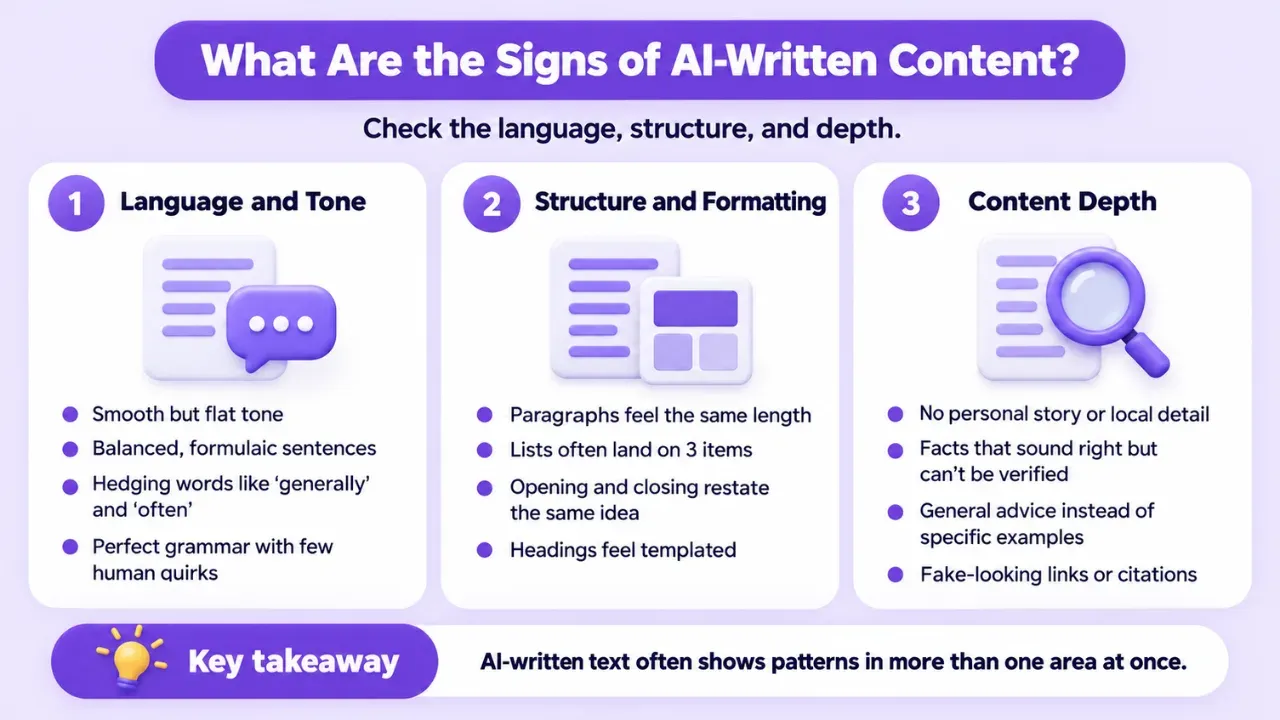
When I read a writing sample, I focus on a few things. First, I watch the language. Next, I check the structure. Then, I look for depth. In many cases, text made by AI shows problems in more than one area at once.
Language and Tone
- The tone is smooth but flat. Every sentence is correct, and none of them has a personality.
- Every paragraph is balanced, with "on the one hand" followed by "on the other hand."
- Hedging words like "generally," "often," and "in many cases" show up to avoid committing to a point.
- The grammar is perfect, with no slang and no small quirks a real person leaves behind.
Structure and Formatting
- Paragraphs are almost the same length from top to bottom.
- Lists keep landing on exactly three items.
- The opening restates the question, and the closing restates the opening.
- Headings feel like a template that could fit any topic.
These are classic AI writing patterns, and once you notice them, you will see them everywhere. They are also the easiest signs of AI writing to confirm without any software.
Content Depth
- No personal story, local detail, or named source.
- Facts that sound right but cannot be verified.
- General advice where a real expert would give a specific example.
- Links or citations that look real but lead nowhere.
What Words and Phrases Indicate AI Writing
Certain phrases show up in AI drafts far more often than in natural writing. None of them proves anything alone, but a pile of them is a flag.
- "In today's fast-paced world" and "in the ever-evolving landscape"
- "It is important to note that" and "it is worth mentioning"
- "Plays a crucial role," "a testament to," and "a rich tapestry"
- Business filler like "leverage," "robust," "seamless," and "holistic"
- Stiff transitions such as "additionally" and "in addition" opening paragraph after paragraph
- Closers like "In conclusion" and "Ultimately" followed by a recap of what you just read
Here is a quick test. Would you say that sentence out loud to a friend? If the answer is no, mark it and keep reading.
How to Detect AI-Generated Text Without a Tool
You do not always have a detector handy, and sometimes you do not want to rely on one. So, can you identify AI writing by reading it? Sometimes yes, and you get better with practice. Here is the routine I use to spot AI writing by hand.
- Read it out loud. AI text often sounds like a press release. Real writing has bumps, fragments, and shifts in energy.
- Hunt for specifics. Look for names, dates, places, numbers, and first-hand details. AI tends to stay vague.
- Fact-check two or three claims. AI can state something wrong with total confidence, and it sometimes invents sources.
- Compare it with earlier work. If the writer's voice suddenly changed, that is worth a conversation.
- Check the draft history. Google Docs and Word both keep version history. A document that appears fully formed in one paste deserves a closer look.
- Ask a follow-up question. Ask the writer to explain a paragraph or defend a choice. Real authors can do this easily.
How to Tell If an Essay Was Written by AI
A freshman writing class at a US college is reading a book. The group spends about two weeks on that text. Then the students write a response essay.
One submission looks perfect. It reads smoothly and has no obvious errors. Yet it never brings up the things the class talked about. The examples feel generic, like they could belong to any story.
That gap matters more than a number on a rubric. You can compare the essay to the writing students did in class. Look closely at the citations and how they match the book the class used. Then ask the student to explain the main claim out loud, step by step. For a step-by-step version of this routine, read how to check if an essay was written by AI.
The same idea can help outside school too. If you get something that seems AI-made, like a guest post pitch or a vendor proposal, you can use the same checks.
How to Tell If Someone Used ChatGPT to Write
If you are trying to spot ChatGPT style, look closely at the opening. It often feels too neat. The ending is commonly split into a few clean parts. The tone stays upbeat the whole time. You also do not see any "I am not sure" type lines. Knowing these signals can help you with other tools too. Gemini and Claude may do things a bit differently, but they can still sound polished and even. Teachers who want to know how realistic this is can read whether teachers can detect ChatGPT text.
How to Check If an Article Is AI Generated With a Detector
Reading helps, but a tool can give you another view. If you want to spot whether text was made by AI fast, here is what I do.
- Paste at least a few hundred words. Very short samples give unreliable results.
- Look at sentence-level results, not just the overall score.
- Run the text through a second tool if the first result surprises you.
- Never use the score alone to accuse someone.
Tools like AI Checker Pro make detecting AI content easy, because they highlight individual sentences likely to be generated by AI, instead of only providing you with a percentage. It's compatible with ChatGPT, GPT-4, GPT-5, Gemini, and Claude, easy to use, and trusted by 100K+ users. Want to try out this AI checker for yourself?
Whether you call it an AI writing checker or an AI content detector, the job remains the same: provide you with evidence, not the final ruling.
This is the practical side of detecting AI-written text at scale, and especially in situations such as a stack of assignments or a bundle of freelance articles.
AI Detection Tools Compared
Here is how the main options stack up. Details change often, so check each tool's current page before you commit. For a wider comparison, see this best AI content detector comparison.
| Tool | Accuracy | Free Tier | Humanizer Included | Best For |
|---|---|---|---|---|
| AI Checker Pro | Sentence-level detection, strongest on raw AI text | See Pricing page | Yes | Students, bloggers, and agencies who want to detect and fix content |
| Turnitin | Widely used in schools, best used as a starting point | No, sold to institutions | No | Teachers and professors with a campus license |
| GPTZero | Popular and easy to use, weaker on edited text | Yes, limited | No | Quick checks by teachers and writers |
| Originality.ai | Built with publishers in mind, weaker on paraphrased text | Paid, credit-based | No | SEO teams and content agencies |
Every single one of these tools is less reliable when faced with modified AI content. That's not something one tool is guilty of. That's a class flaw.
How Accurate Are AI Text Detectors?
I tried several AI detectors. Most of them do not feel trustworthy if you take the score as the final word. In my tests, they do okay when the text is untouched and comes straight from a model. After a person edits the writing, the score drops fast, and the result seems less useful. If you want a ranked look at the field, check which AI detectors are accurate.
Here are the AI text detection limitations you should know about:
- No detector is 100% accurate, including Turnitin, GPTZero, Originality.ai, and Copyleaks.
- Accuracy drops significantly on paraphrased or humanized AI content compared with raw AI text.
- OpenAI shut down its own AI text classifier in 2023 because of its low accuracy.
- Several major universities have scaled back reliance on a single detection tool.
- Short samples and mixed human and AI writing are the hardest cases.
When I did a bunch of essays and blog posts last month, there's a pattern. Raw ChatGPT drafts were pretty heavily flagged. Lightly paraphrased ones were much less so, and a couple of completely human posts got flagged anyway, and that leads to the next issue.
Can AI Detectors Mistake Human Writing for AI?
It does happen more than most folks think. False positives show up a lot in stuff like formal school papers, tech manuals, and copy that follows a set business template. It also comes up for writers who are not native English speakers. If this has happened to you, our article on a human-written essay flagged as AI explains what to do next.
If the wording is plain and careful, a model can still flag it. The reason is that the text can feel routine. Detectors often treat that kind of routine writing as AI.
If you are worried about being falsely flagged, here is how to lower the risk:
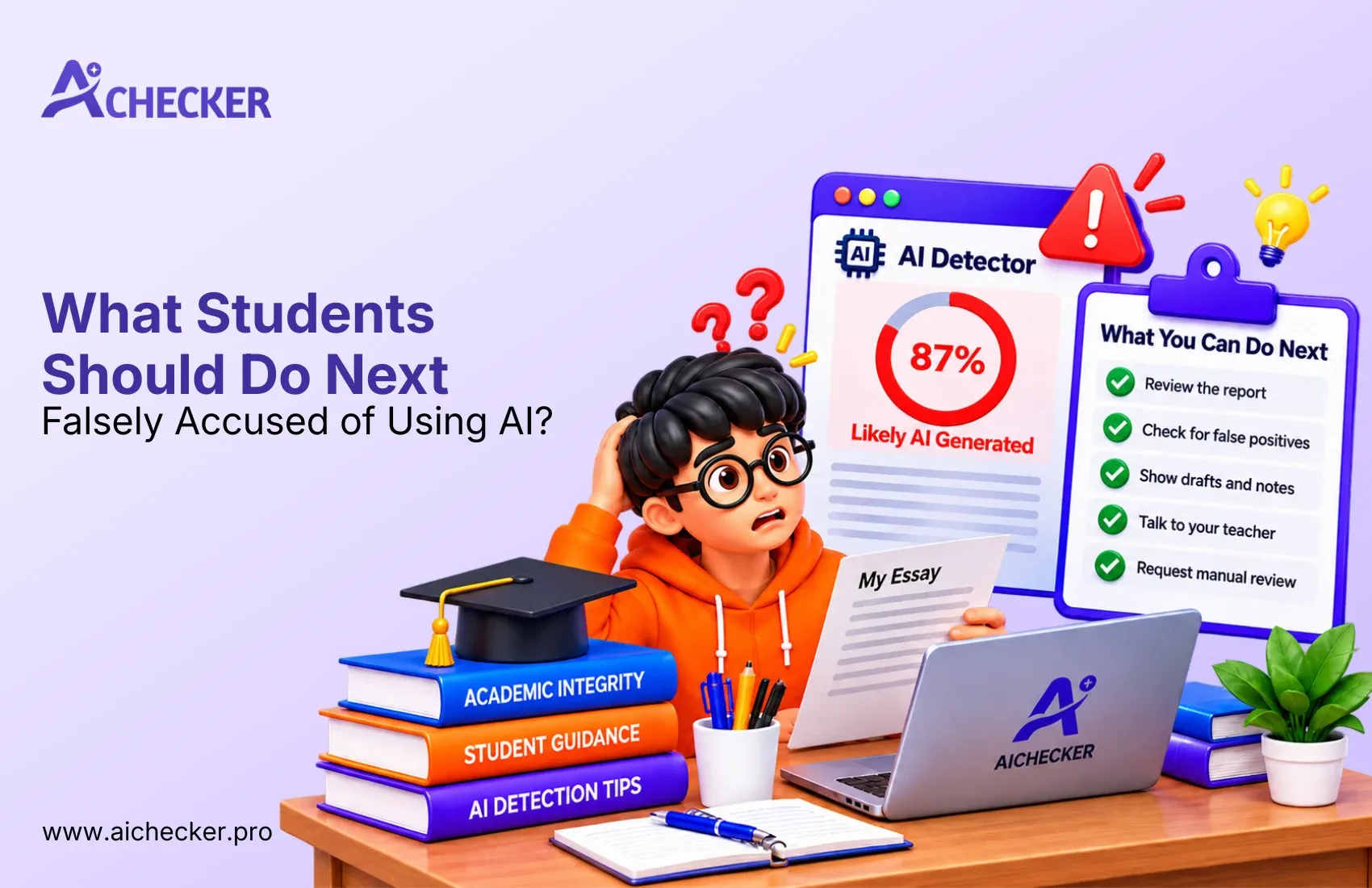
- Keep your drafts and use version history so you can show your process.
- Add personal details, class references, and real examples.
- Vary your sentence length and let your natural voice come through.
- Check your own writing before you submit it, and rewrite any flagged lines in your own words.
A lot of people do not rewrite by hand anymore. They use AI Checker Pro to spot the parts that get flagged. Then they run the built in AI humanizer to fix the lines. I have watched bloggers do this. They clean up posts faster and spend less time editing.
Can AI Generated Text Be Detected Reliably?
Reliably enough to be used as a talking point, but not reliably enough to penalize someone. Consider AI content detection as one piece of evidence alongside your own analysis and the writer's initial drafts. Anyone facing an accusation can read what to do when falsely accused of using AI.
How to Distinguish AI Writing from Human Writing
Here is a side-by-side look at human vs AI-written text. Use it as a checklist, not a rulebook.
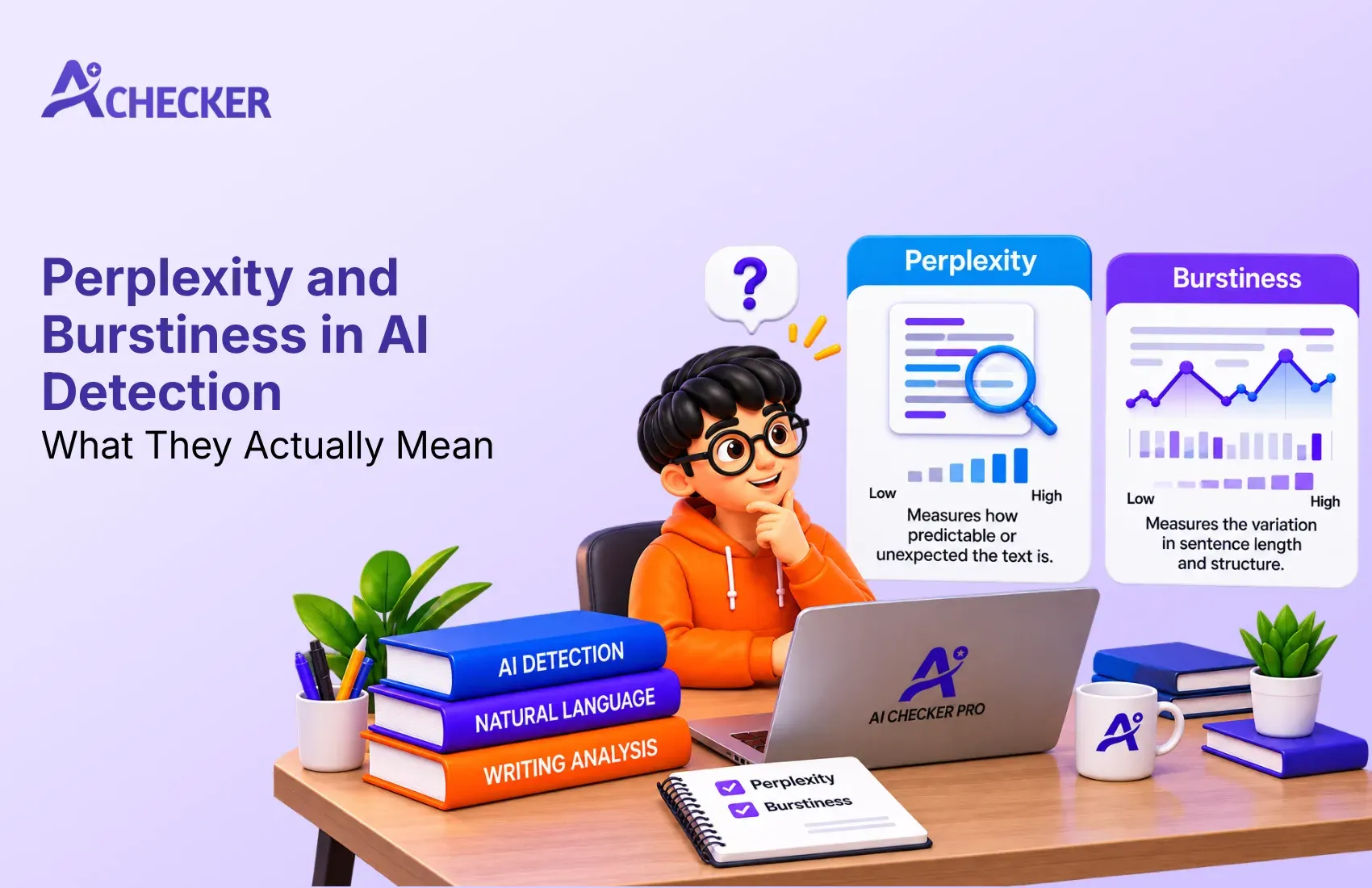
- Rhythm: Human writing is uneven, with short fragments and long, winding sentences. AI writing keeps a steady, even beat. This pattern is closely tied to perplexity and burstiness in AI detection.
- Opinions: Humans take a side and sometimes get it wrong. AI stays balanced and avoids a firm stance.
- Examples: Humans use odd, specific stories. AI uses safe, generic ones.
- Mistakes: Humans make small slips, like a missing comma or a casual phrase. AI is almost too clean.
- Voice: Humans sound like themselves from page to page. AI sounds like everyone.
Knowing how to identify AI-generated text is less about one clue and more about whether the whole piece feels lived in.
Conclusion
Figuring out whether a text was written by AI is mostly about small hints that show up again and again. I start by watching the tone. Does it sound flat or steady in a way that feels odd?
Next, I scan the writing for patterns. Are the sentences built in the same shape over and over? Do the lines feel like they were made from the same mold?
Then I look at the examples. Are they vague, or do they repeat the same kind of situation without adding real detail? I also note any phrases that feel like they could fit almost any topic.
If you want an extra check, use a tool as a second opinion. Just know that nothing is flawless, and mistakes can happen. A person can get flagged too.
I try to work in layers. Keep drafts, ask questions, and look at the full piece, not just one sentence. For a fast, line by line review, AI Checker Pro can be a starting point.
When you read something and it feels too neat, what is the first thing that catches your eye?
FAQs
How can you tell if text was written by AI?
How to tell if an essay was written by AI?
How to detect AI generated text without a tool?
What are the signs of AI written content?
How to tell if someone used ChatGPT to write?
Can you identify AI writing by reading it?
How accurate are AI text detectors?
Can AI detectors mistake human writing for AI?
How to check if an article is AI generated?
What words and phrases indicate AI writing?

Harshil Barvaliya
SEO Executive & Content Writer at AI Checker Pro
I’m Harshil Barvaliya, an SEO Executive and Content Writer at AI Checker Pro. I focus on improving the website’s search engine visibility through effective SEO strategies, including keyword research, on-page and off-page optimization, and content development.Get Started Free
Create a free account for advanced AI detection and scan history.
Trusted by thousands worldwide.
Recent Blog's
Discover how AI-powered content creation can elevate your website's reach and engage your audience like never before. Explore the real impact of AI on crafting content that connects.