Does Moodle Have an AI Detector? How AI Checking Works
TABLE OF CONTENTS
Key Highlights
Does Moodle Have an AI Detector? The Full Answer
How Does Moodle Detect AI? What Happens After You Click Submit
Which AI Checkers Can Connect to Moodle?
Does Moodle Use Turnitin?
Can Moodle Detect ChatGPT?
Is Moodle ChatGPT Detection Reliable? How Accurate These Tools Really Are
Can Moodle Prove You Used AI?
How AI Checker Pro Compares to Other Detectors
What Students Should Do Before Submitting
What Teachers Should Do When a Report Looks High
Conclusion
FAQs
Get an AI summary of this post on:





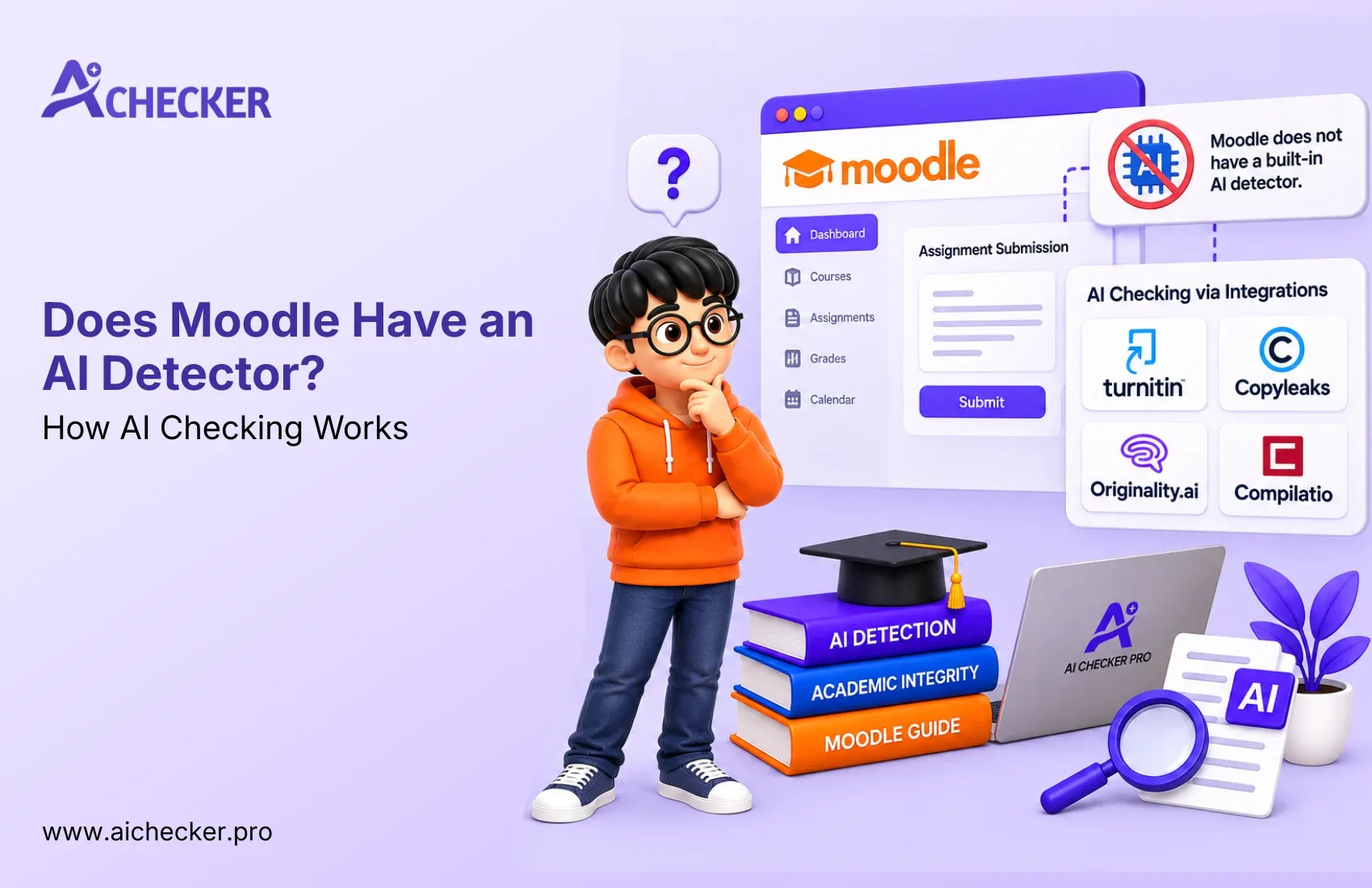
Moodle does not have an AI detector. It's just a learning management system, so it saves your assignments, grades quizzes, etc.
It only checks for AI if your school has attached a plagiarism-detecting service like Turnitin, Copyleaks, or Originality.ai.
They only give percentages, so you can never be 100% sure, and they can be very false-positive, especially if your school uses them. If your school has one of these services linked, make sure to save your drafts, and check your paper against your own plagiarism detector.
Key Highlights
- Does Moodle have an AI detector? No. Moodle has no built-in AI detection. Any AI check comes from a plugin or integration your school chooses.
- Turnitin is the most common add-on, but Moodle does not use it by default.
- Moodle logs show activity like logins and submission times. They cannot show whether you used ChatGPT.
- No AI detector is 100% accurate. False positives hit formal writing and non native English writing the hardest.
- Detection accuracy drops on paraphrased or humanized AI text compared to raw AI output.
- Drafts, version history, and notes are your best protection if a report flags your work.
- Checking your own essay first with AI Checker Pro gives you sentence-level feedback before your teacher ever sees it.
If you log into your course portal and see an assignment due tomorrow, one question is probably burning in your head: does Moodle have an AI detector? As a student and teacher, I get asked this question often, and the answer may surprise you.
Short answer? No, Moodle does not have a built-in AI detector. Moodle is simply a learning management system that holds your assignments, quizzes, and grades.
However, some schools use a third party service such as Turnitin, Copyleaks, and Originality.ai to detect AI content. So the real answer depends on your school and teacher.
Get Lifetime Access with 60% OFF
Stop paying monthly subscriptions. Enjoy unlimited AI detection and humanizer access forever with future updates included.
- One-time payment
- Unlimited access forever
- All future updates included
Does Moodle Have an AI Detector? The Full Answer
Let me explain to you all in layman's terms. The question, does Moodle have an AI detector, basically asks about the platform, for which there is no confirmation yet. The platform itself is open-source software, used by educational institutions to host and manage online learning courses. It is basically used to provide educational content, collect it, and monitor the communication between students and professors. However, it is not meant to analyze your essay and conclude whether it was written by a human or an AI writer.
So when people search Moodle AI detector or Moodle AI detection, they are usually mixing up two things:
- Moodle itself, which is the platform
- The plugins and integrations that a school adds on top of it
Moodle has added some AI features in recent versions, but those are aimed at teachers. Think quiz question suggestions and content summaries. They do not scan student submissions for AI writing.
Why the confusion happens
Many students take one course with an instructor who talks about Turnitin, and then go on to assume all Moodle courses function the same way. They often do not. Two schools using the same Moodle version could have vastly different configurations. One may scan every essay for AI, and the other may scan nothing at all.
Here is the best advice I have for you: Read the syllabus and ask the instructor.
How Does Moodle Detect AI? What Happens After You Click Submit
If you want to know how Moodle detects AI, the honest answer is that it does not. It passes your file along to a tool that does. Here is the usual flow when a school has set up an integration:
- You upload your assignment through Moodle.
- Moodle sends the file to the connected tool.
- The tool checks for plagiarism, AI patterns, or both.
- A report comes back to Moodle or straight to your instructor.
- Your instructor reviews the report and your actual writing
That final step can be important. After all, an effective instructor will want to go beyond the report to consider your overall progress.
Some programs will scan every assignment, while others may only scan specific assignments (such as a final research paper). As a result, you may well have different experiences in different courses, even on the same platform.
Which AI Checkers Can Connect to Moodle?
When someone asks about a Moodle AI checker, they are really asking which outside tools a school might plug in. The list depends on the school's budget, region, and technical setup.
Common options include:
- Turnitin
- Copyleaks
- Compilatio
- Originality.ai
- Other tools your institution approves
Because of this, AI detection in Moodle looks different at every school. Your friend at another college might have a Turnitin report on every essay while you have nothing.
Does Moodle Use Turnitin?
That's one of the most frequently Googled questions in this space. Does Moodle use Turnitin? Moodle supports a Turnitin integration, but it's not enabled by default.
A school has to license it and configure it.
Once a school does that, the Moodle Turnitin AI detection workflow is simple.
Your submission is sent to Turnitin automatically, and Turnitin can give you a similarity score for plagiarism and an AI writing indicator. Your instructor sees the report inside the Moodle grading screen.
How can you tell if Turnitin is active in your course?
- The assignment page mentions Turnitin or an originality check
- You see Turnitin branding on the submission screen
- Your syllabus or integrity policy talks about plagiarism or AI screening
- A similarity report shows up after you submit
If none of these appear, ask your instructor. Guessing is a bad plan.
Can Moodle Detect ChatGPT?
Now the big one. I'll answer both versions of the question. Does Moodle detect AI in general, and can Moodle detect ChatGPT in particular? On its own, no to both. Moodle has no way whatsoever to detect where any particular chunk of text came from.
It treats a typed essay and pasted essay the same way. Likewise, should you ask, does Moodle detect ChatGPT when a detector is connected? The answer is, "Maybe, as a probability." Detectors work by looking at probabilities. They take a look at things like likelihoods of words and sentence structures, and they estimate how likely it is that each might be AI-written. They cannot tell you, for example:
- Which AI tool wrote it
- Whether you only used AI to brainstorm or fix grammar
- How much a human edited afterward
This is the part most students miss. A detector score is an estimate. It is not a fingerprint.
Can Moodle Detect AI-Generated Content in Quizzes and Forums?
People also ask: Can Moodle detect AI-generated content in places other than essays? Usually the answer is no, unless your school set it up on purpose.
- A file essay sent through a Turnitin-enabled assignment may get checked.
- A discussion forum post often will not be scanned.
- Quiz answers are generally not screened for AI unless a specific tool supports that format.
Moodle does offer quiz settings like time limits, question randomization, and limited attempts. Those reduce cheating chances, but they are not AI detection.
What Moodle Logs Can and Cannot Show
Moodle logs in when you log in, when you open resources, and when you submit work. It doesn't track anything you do in other tabs or on other platforms. Additional monitoring is only possible if the school uses proctoring software or a secure browser, which are separate from Moodle.
Is Moodle ChatGPT Detection Reliable? How Accurate These Tools Really Are
Here is where I would like to be straight with you. I have tested a lot of AI detectors, and let's just say that none of them are perfect.
Moodle's ChatGPT detection is only as good as the tool your school connected.
Different detectors use different models and training data. That's why the same essay can get a low score on one tool and a high score on another. Turnitin, GPTZero, Originality.ai, and Copyleaks all make claims about their accuracy, but no major vendor will claim any of them are perfect.
Several big-name universities have actually reduced their reliance on any one score.
In fact, I've heard that some schools have even stopped using some AI detection tools altogether.
False positives are real
A false positive happens when human writing gets flagged as AI. This hits certain writers harder:
- Non native English writers
- Students writing formal or technical papers
- Writers who follow very clean, structured templates
Think about the first-year student at a US college who learned to speak English as a second language and who writes carefully constructed simple sentences. Such a style of writing may seem too predictable to a detector. Have you ever felt judged unfairly by a tool? You are not alone.
To reduce your risks, you may want to keep track of drafts, write in your own words, include specific details about the class and do your own pre-check before submission.
Paraphrased and humanized text is harder to catch
Detection accuracy decreases substantially when AI text has been paraphrased or humanized compared to raw ChatGPT output.
This does not mean that people should game the system, but it does mean that teachers should never take a score as definitive proof.
Honest students who used only an AI for an outline can still land in the gray zone, which is why context matters.
Can Moodle Prove You Used AI?
No. Even with a detector connected, a report cannot prove how a document was written. Logs and timestamps only show activity. Real Moodle academic integrity decisions should use several kinds of evidence:
- Draft history and revision timestamps
- Your ability to explain the argument in conversation
- Comparison with your earlier writing
- Correct citations and real sources
- The detector report as one input, not the only one
How AI Checker Pro Compares to Other Detectors
Where do you see a need for a software like AI Checker Pro? Moodle does not have a built-in solution, so many take their text and run it through another AI checker before uploading it to Moodle. Here is a brief comparison of what I found, along with my own tests.
| Tool | Accuracy | Free Tier | Humanizer Included | Best For |
|---|---|---|---|---|
| AI Checker Pro | Sentence-level detection, strong on ChatGPT, GPT -4, GPT -5, Gemini, and Claude text | Yes | Yes | Students, bloggers, and agencies who want to check and fix text in one place |
| Turnitin | Widely used by schools, but only available through institutions | No (school license) | No | Universities with an institutional license |
| GPTZero | Popular with teachers, can flag formal writing | Limited free use | No | Quick classroom checks |
| Originality.ai | Built with publishers and SEO teams in mind | No (paid credits) | No | Content teams and publishers |
None of the tools in this table are perfect, and often return different results as the underlying AI models are updated. Treat all results with caution.
AI Checker Pro can help you identify AI content accurately and see which specific sentences are suspicious.
It is simple to use, works with ChatGPT, GPT -4, GPT -5, Gemini, and Claude, and has been used by 100K+ users.
If you're new to using an AI detector for Moodle assignments, you can simply paste your essay into the AI Detector, review the sentence-level results, and then upload the essay with confidence!
What Students Should Do Before Submitting
Let me be practical here. Since Moodle plagiarism checker AI setups vary so much, a few habits protect you no matter what your school uses:
- Read your syllabus AI policy first. Some professors allow AI for brainstorming, others ban it completely.
- Save your drafts and turn on version history in Google Docs or Word.
- Keep your notes, sources, and outlines.
- Write in your own voice, with class specific details.
- Check your final draft with a detector to catch false flags early.
When I reviewed several sample essays last month, I was surprised not by the AI-generated texts but by a few human-written essays. They included more formal language than I expected and scored higher than I anticipated.
A few minor edits to add more personal insights and alter the sentence structure would have improved those scores.
If you find that texts generated by an AI checker are too stiff, instead of editing them yourself, many turn to AI Checker Pro and its built-in humanizer to make the language less robotic.
You may want to use the AI Humanizer if you need assistance making your own writing sound more human.
What if Moodle flags your work?
Stay cool. Having a high grade does not necessarily mean that you did something wrong. Ask them which report they are talking about, show them your drafts, and explain what you did in the process. Tell them if you used any AI tools that your course allowed you to use. Ask them to review it on their own rather than accept the grade they have given you.
What Teachers Should Do When a Report Looks High
Teachers, this part of the text relates to you. If you know does moodle have an AI detector is a question about plugins and not the platform, then you can read the reports more fairly. A score is where the conversation begins:
- Confirm which tool produced the report and what it is known to miss
- Read the whole report, not only the percentage
- Be careful with short texts, technical writing, and non native English writers
- Compare with the student's earlier work
- Ask the student to explain their thinking in a short conversation
Fair review protects students and keeps your Moodle academic integrity policy credible.
If you are a blogger reading this, the same logic applies to Google. Publishing raw AI text without editing is risky for quality reasons, not just detection reasons.
Adding real experience and cleaning your draft matters. I have personally seen bloggers clean their content using AI Checker Pro before hitting publish, which saved them hours of manual rewriting. You can check which plan fits your workload on the pricing page.
Conclusion
So, does Moodle have an AI detector? Well, the platform itself doesn't have a specific AI plagiarism checker. Instead, Moodle allows you to connect external tools recommended by your school or university, such as Turnitin or Copyleaks.
These tools are designed to detect possible AI-generated content, but their accuracy may vary, and they should be used with caution. Remember that all the tools are only assistants, and your human supervisor should always have the final word. Make sure to save your drafts securely and never use content that wasn't created by you to avoid plagiarism.
Check your text with a free AI Detector at AI Checker Pro and improve your writing with the help of the AI Humanizer in time for submission.
FAQs
Does Moodle have an AI detector?
Can Moodle detect ChatGPT?
Does Moodle use Turnitin?
Can Moodle detect AI in quizzes and forums?
Can Moodle logs show if I used AI?
Is Moodle AI detection accurate?
Can Moodle prove I used AI?
How do I know if Turnitin is active in my Moodle course?
What should I do if Moodle flags my work as AI?
Which AI checkers can connect to Moodle?

Harshil Barvaliya
SEO Executive & Content Writer at AI Checker Pro
I’m Harshil Barvaliya, an SEO Executive and Content Writer at AI Checker Pro. I focus on improving the website’s search engine visibility through effective SEO strategies, including keyword research, on-page and off-page optimization, and content development.Get Started Free
Create a free account for advanced AI detection and scan history.
Trusted by thousands worldwide.
Recent Blog's
Discover how AI-powered content creation can elevate your website's reach and engage your audience like never before. Explore the real impact of AI on crafting content that connects.