Check AI in Word Documents with Accurate AI Detection
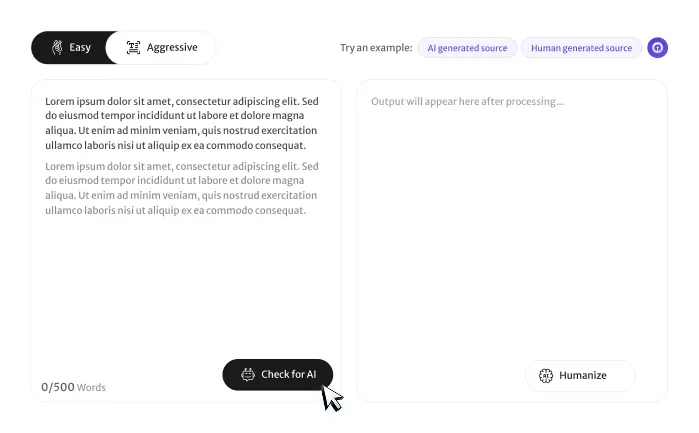
Upload DOC or DOCX files to our AI detector for Word document and analyze essays, assignments, reports, research papers, business documents, and proposals. Receive fast AI detection, detailed reports, and reliable originality insights in seconds.
 Upload DOC & DOCX Files
 Advanced AI Detection
 Detailed AI Report
Try an example:

How to Use the AI Detector for Word Document
Analyze your DOC or DOCX file in four simple steps. Upload your Word document, run AI detection, review the report, and improve flagged sections before submitting or sharing your work.

Upload Your Word Document
Upload DOC or DOCX files directly without copying and pasting your content into the editor.
01

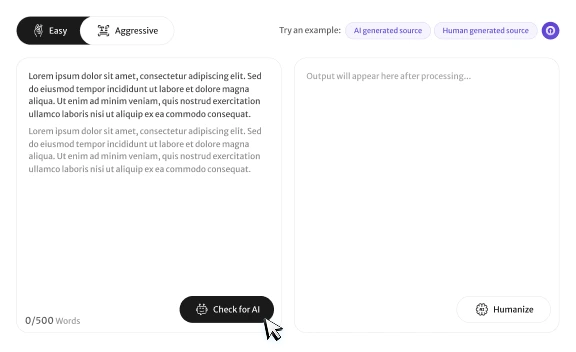
Run AI Detection
Click Detect AI to scan your Word document and receive a detailed AI detection report within seconds.
02

Review the AI Report
Check AI probability scores, highlighted sections, and sentence-level analysis to understand your document.
03

Improve Before Submission
Revise flagged content, improve originality, and prepare your Word document for submission, publishing, or professional use.
04
How Our AI Detector for Word Document Works
Our AI detector for Word document scans DOC and DOCX files, analyzes writing style, sentence structure, readability, and AI writing patterns to estimate whether a document contains AI-generated content.
Smart Word Document Analysis
- Upload DOC & DOCX files
- Detect AI-generated writing
- Perform sentence-level analysis
- Calculate AI probability scores
- Generate detailed AI reports
Supports Every Word Document
Analyze essays, assignments, research papers, academic papers, reports, homework, business documents, proposals, case studies, and project reports uploaded in Word format.
Built for DOC & DOCX Files
Our Word document AI checker analyzes Word files created with ChatGPT, Claude, Gemini, and other AI writing tools while preserving your document content during analysis.
Check AI in Word Documents with Reliable Results
Our AI detector for Word document scans uploaded DOC and DOCX files to identify possible AI-generated writing using advanced language analysis and AI detection technology.
The tool helps students, teachers, researchers, businesses, content writers, HR teams, and editors verify originality with detailed AI reports, confidence scores, and sentence-level analysis.
AI detection reports should support document review rather than replace human judgment. Always combine AI analysis with proofreading, revision history, and originality checks before making important decisions.
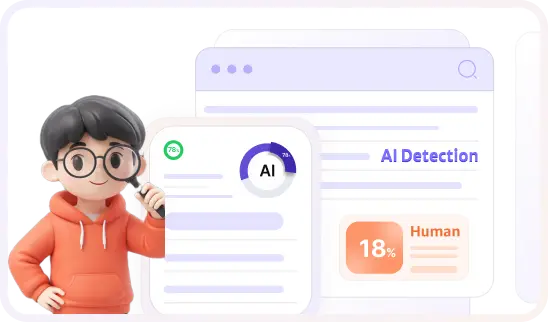
AI Content Found
Percentage of text that may be AI-generated.
AI Logic
Shows you the "why" behind AI detection with sources you can see and verify.
AI Detection Insights for Word Documents
Our AI detector for Word document delivers more than an AI score. It analyzes writing style, sentence structure, readability, and AI writing patterns to help you review DOC and DOCX files with confidence before submission or sharing.
Upload your DOC or DOCX file to receive detailed AI detection insights without changing your document formatting. Review flagged sections, understand AI writing patterns, and verify document authenticity before submitting, sharing, or publishing your work.
Core Features of Our AI Detector for Word Document
The best AI detector for Word document helps students, teachers, researchers, businesses, and professionals analyze DOC and DOCX files with advanced AI detection, detailed reports, secure processing, and reliable originality insights.
Upload DOC & DOCX Files
Upload Word documents directly without copying and pasting. Our AI detector for Word document tool scans DOC and DOCX files while preserving your document content for accurate AI analysis.

Advanced AI Detection
Analyze writing style, sentence structure, readability, and language consistency to identify possible AI-generated content with reliable AI probability scores.
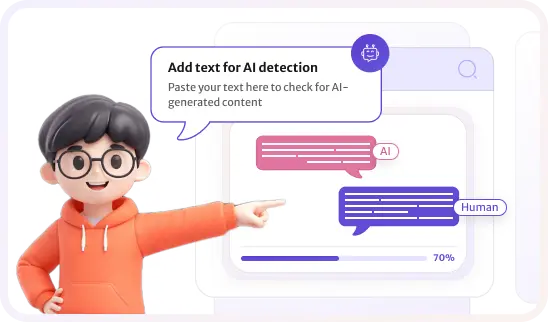
Sentence-Level Analysis
Review highlighted sentences, AI confidence scores, and detailed explanations that help you understand where AI-generated writing may appear in your Word document.

Supports Large Documents
Analyze long Word documents including research papers, assignments, reports, proposals, case studies, and business documents without sacrificing detection quality.
Who Can Benefit from Our AI Detector for Word Document?
Our Word document AI checker helps students, teachers, professors, researchers, businesses, content writers, HR teams, and editors review DOC and DOCX files before submission, publishing, or professional use.
Students & Teachers
Review essays, homework, assignments, academic papers, and classroom projects stored in Word documents before submission or evaluation.
- Check DOC & DOCX files
- Detect AI-generated writing
- Improve originality
- Submit with confidence
Researchers & Professors
Analyze research papers, theses, dissertations, journal articles, and academic reports using the best AI detector for Word document before peer review or publication.
- Review research documents
- Verify originality
- Analyze AI reports
- Support academic integrity
Businesses & Content Teams
Businesses, HR teams, editors, and content writers can review proposals, reports, contracts, documentation, and business files before sharing or publishing.
- Verify document quality
- Detect AI-generated text
- Review business content
- Improve professional writing
Can Word Documents Be Incorrectly Flagged as AI?
Formal writing may sometimes receive higher AI scores. Always review AI detection results alongside revision history and human judgment.
Understand False Positives
Structured academic and professional writing may occasionally resemble AI-generated content, even when the document was written entirely by a person.
Review Flagged Sections
Carefully review highlighted paragraphs, revise repetitive wording, and confirm that your ideas are expressed naturally throughout the document.
Improve Document Originality
Include original analysis, personal insights, accurate references, and unique writing to strengthen authenticity and reduce AI detection concerns.
Analyze Formatted Documents
Our AI detector accurately analyzes formatted DOC and DOCX files while maintaining reliable AI detection across different document structures.
Reduce False Positives
Compare AI reports, maintain revision history, and review supporting evidence to better understand detection results before making important decisions.
Use Human Evaluation
An AI detector for Word document should support document review, not replace it. Final decisions should always combine AI detection with expert human judgment and careful document evaluation.
Why Choose Our AI Detector for Word Document?
Our AI detector for Word document helps students, teachers, researchers, businesses, editors, and professionals analyze DOC and DOCX files with reliable AI detection, secure processing, and detailed AI reports.


High Detection Accuracy
Our advanced AI detection engine analyzes writing style, language patterns, and sentence structure to provide reliable AI probability scores for Word documents.

DOC & DOCX Support
Upload Microsoft Word files directly without converting or copying text. Our tool supports both DOC and DOCX formats for quick and accurate AI analysis.

Fast & Secure Processing
Receive detailed AI detection reports within seconds while your uploaded Word documents are processed securely to protect your content.

Easy Upload Experience
Simply upload your Word document and let our AI detector for Word document tool analyze formatted files with reliable AI detection and detailed reporting.
Trusted by Students, Professionals, and Businesses
Students, teachers, professors, researchers, businesses, HR teams, editors, and content writers trust our AI detector for Word document to verify originality, detect AI-generated writing, and review Word files before submission or publication.
This AI detector has been an absolute lifesaver for my master's thesis. It gives me the confidence I need before submission.

Sarah M.
Graduate StudentAn indispensable tool for checking academic integrity. It is accurate, fast, and highly reliable for reviewing research papers.

Dr. Robert K.
University ProfessorI use this online AI checker for every paper I edit. It helps identify AI-generated phrases and improves content originality.

Emily L.
Academic EditorThis AI detector has been an absolute lifesaver for my master's thesis. It gives me the confidence I need before submission.
Sarah M.
Graduate StudentAn indispensable tool for checking academic integrity. It is accurate, fast, and highly reliable for reviewing research papers.
Dr. Robert K.
University ProfessorI use this online AI checker for every paper I edit. It helps identify AI-generated phrases and improves content originality.
Emily L.
Academic EditorUpgrade to unlimited AI detection
Revolutionize your AI workflow for less! This Special Offer, unlock 60% OFF on AI Checker Unlimited Plan. Take advantage of advanced AI tools to boost your productivity.

Choose Your Best Plan
Explore our flexible plans designed to fulfill your unique requirements. Select the plan that matches your goals and start improving your writing. Start today and humanize your content with AI checker pro's AI humanizer tool.
FAQs About AI Detector for Word Document
Learn how our AI detector for Word document works, supported DOC and DOCX files, AI detection accuracy, and document review.
Can I upload a Word document for AI detection?
Does AI Checker Pro support DOC and DOCX files?
How accurate is the AI detector for Word documents?
Can it detect ChatGPT-generated Word documents?
Is my uploaded Word file secure?
Is there a file size limit for Word documents?
Can I check academic assignments in DOCX format?
Does formatting affect AI detection?
Is the Word document AI detector free?
Which AI models can the detector identify?
Latest Blog's
Discover how AI-powered content creation can elevate your website's reach and engage your audience like never before. Explore the real impact of AI on crafting content that connects.

Upload Your Word Document for AI Detection
Upload your DOC or DOCX file to our AI detector for Word document to detect AI-generated writing, verify originality, and receive a detailed AI analysis before submitting, publishing, or sharing your document.
Fast, accurate, and secure AI detection for DOC, DOCX, research papers, assignments, reports, and business documents.